
How to Activate Your FAB Bank Debit Card? (Step-by-Step Guide)
Activating your debit card is the first step to accessing your money, making purchases, and performing an FAB balance check anytime. If you’ve recently received your debit card from First Abu Dhabi Bank, you’ll need to activate it before you can start using it for ATM withdrawals, online payments, or in-store transactions.
The good news is that the FAB debit card activation process is quick, secure, and can be completed within minutes using an ATM, mobile app, or online banking. In this guide, I’ll walk you through all available methods step-by-step so you can activate your card without any confusion.
What Is an FAB Debit Card?
An FAB debit card is linked directly to your bank account with First Abu Dhabi Bank. It allows you to:
- Withdraw cash from ATMs
- Pay for purchases in stores and online
- Check your account balance instantly
- Transfer funds and manage transactions
Unlike prepaid cards like Ratibi, a debit card gives you full access to your bank account funds.
Method 1: Activate FAB Debit Card via ATM (Fastest Method)
This is the most common and recommended method.
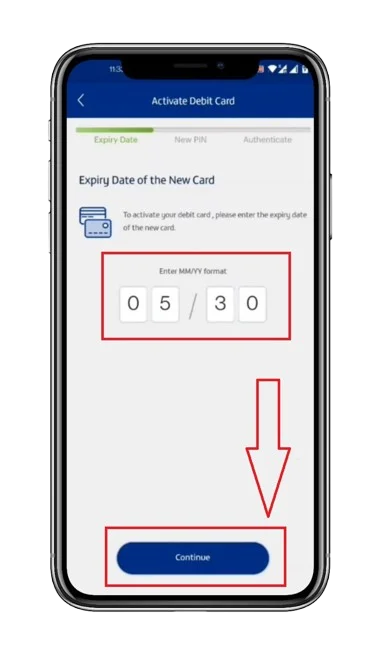
Steps:
- Visit the nearest FAB ATM
- Insert your debit card into the machine
- Select your preferred language
- Enter the temporary PIN (received via SMS or bank)
- Set a new 4-digit PIN
- Confirm your new PIN
Your FAB debit card will be activated instantly
Method 2: Activate via FAB Mobile Banking App
You can also activate your card using FAB’s mobile app.
Steps:
- Download and open the FAB Mobile App
- Log in to your account
- Go to Cards Section
- Select your debit card
- Tap on Activate Card
- Set your PIN
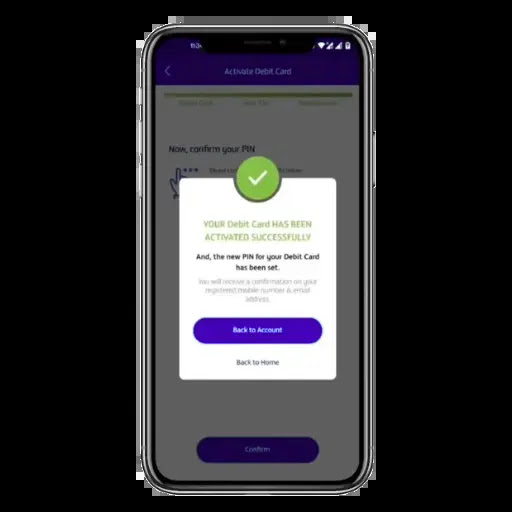
Activation is completed within minutes
Method 3: Activate via FAB Online Banking
If you prefer using a laptop or desktop:
Steps:
- Log in to FAB online banking
- Navigate to Cards Management
- Select your debit card
- Click Activate
- Set your PIN
Method 4: Activate via Phone Banking
You can also activate your card through customer support.
Steps:
- Call FAB customer care
- Follow IVR instructions
- Verify your identity
- Set your PIN
How Long Does FAB Debit Card Activation Take?
- ATM Activation → Instant
- Mobile App → 1–2 minutes
- Online Banking → Instant
- Phone Banking → Few minutes
Once activated, you can immediately:
- Withdraw cash
- Make payments
- Perform an FAB balance check
How to Check If Your Debit Card Is Activated
You can confirm activation using:
- ATM balance inquiry
- Small withdrawal
- POS purchase
- Mobile app account access
If the transaction works, your card is active.
Common Problems & Solutions
Incorrect PIN
- Use the temporary PIN provided
- Reset PIN via ATM or app
Card Not Working at ATM
- Try another FAB ATM
- Ensure card is inserted correctly
Activation Failed
- Wait a few minutes and retry
- Contact FAB support
Card Blocked
- Contact bank immediately
- Request reactivation or replacement
Important Safety Tips
- Never share your PIN
- Avoid using public or suspicious ATMs
- Enable transaction alerts
- Regularly monitor your account
FAB Debit Card Charges
- Free activation
- Free FAB ATM withdrawals
- Charges may apply on other bank ATMs
- International transaction fees may apply
FAQs
Final Thoughts
Activating your FAB debit card is a simple process that takes only a few minutes but unlocks full access to your banking services. Whether you choose ATM, mobile app, or online banking, the process is designed to be quick and user-friendly.
Once your card is activated, you can start using it immediately for purchases, withdrawals, and FAB balance check services anytime, anywhere.
