FAB Credit Card: Benefits, Features & Balance Check Options (2026 Guide)
You can check your FAB Credit Card balance via the FAB Mobile App, online banking, SMS (BAL to 2121 from registered number), or any FAB ATM. Below are step-by-step instructions, fixes if the balance doesn’t update, and secure ways to pay your bill on time.
- FAB Credit Card login: Go to App → Login → Cards → Balance/Outstanding → Due Date.
- Web → Login → Credit Cards → Account Summary.
- SMS → BAL → 2121 (registered number).
- ATM → Insert card → Balance Inquiry.
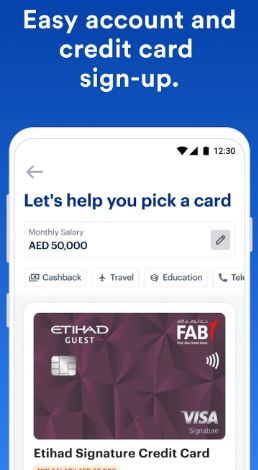
If you’re a First Abu Dhabi Bank (FAB) customer or planning to apply for a FAB Credit Card, you’re in the right place. This guide explains everything you need to know, from how to check your FAB Credit Card balance to understanding its features, benefits, rewards, and usage tips.
Whether you use the FAB Mobile App, online banking, or SMS enquiry, you’ll find clear, step-by-step instructions here.
Key Features of FAB Credit Cards
Here are some of the standout features you’ll get when using a FAB credit card:
- Cashback Rewards: Earn cashback on groceries, fuel, dining, and online shopping.
- Interest-Free Period: Enjoy up to 55 days of interest-free credit when you pay your bills on time.
- Flexible Payment Options: Pay the full amount or the minimum due each month.
- Worldwide Acceptance: Use your card at millions of outlets across the world.
- Secure Transactions: FAB uses advanced 3D Secure OTP protection for every online transaction.
- FAB Mobile App Integration: Manage spending, check balances, and track statements through the app.
- Rewards & Offers: Get access to FAB Rewards Points, travel deals, movie tickets, and exclusive dining discounts.
Pro Tip: If you’re new to FAB, start with the FAB Platinum Credit Card, it offers a good balance of benefits and low annual fees.
How to Check FAB Credit Card Balance (4 Easy Methods)
Checking your FAB Credit Card balance is quick and simple. You can use several FAB channels depending on your preference.
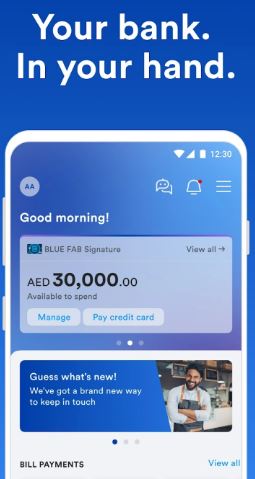
1) FAB Mobile App (fastest)
- Open FAB Mobile App and sign in (Face/Touch ID if enabled).
- Tap Cards → choose your Credit Card.
- See Available Limit, Outstanding, Next Due Date.
- Tap Transactions for recent spends and e-statement for PDF.
2) FAB Online Banking
- Visit the FAB website and Log In to online banking.
- Go to Credit Cards → Account Summary.
- View current balance, available credit, minimum due, due date.
3) SMS Enquiry (no internet)
- From your registered mobile number, send BAL to 2121.
- You’ll receive an SMS with current outstanding and due date.
4) FAB ATM
- Insert your credit card at any FAB ATM.
- Enter PIN → choose Balance Inquiry.
- Screen shows available limit and outstanding.
How to Pay Your FAB Credit Card Safely (On Time)
- In App: Cards → Pay Now → choose minimum/full/custom → confirm.
- Online Banking: Credit Card → Pay Bill → select source account.
- ATM: Use debit card → Credit Card Payment → enter amount.
- AutoPay: Enable AutoPay (minimum or full) so you never miss a due date.
- Payit Wallet: Link and pay if you prefer wallet-based payments.
Benefits of Having a FAB Credit Card
FAB credit cards aren’t just for making payments, they come with exclusive perks that make them stand out among UAE banks.
1. Lifestyle & Travel Rewards
Earn FAB Rewards Points with every spend and redeem them for airline tickets, hotel bookings, and shopping vouchers.
2. Free Airport Lounge Access
Certain cards, like the FAB Infinite Credit Card, give free lounge access at airports worldwide, a big plus for frequent travelers.
3. Cashback & Discounts
Get up to 5% cashback on groceries, dining, and utility bills. FAB also partners with hundreds of UAE retailers to offer special promotions.
4. Easy Installment Plans
Convert your large purchases into 0% interest installment plans directly from the app or by calling customer service.
5. Global Recognition
Accepted globally, your FAB Credit Card lets you shop or withdraw cash from anywhere in the world with peace of mind.
If Your Balance Doesn’t Update (Troubleshooting That Works)
Common reasons
- Transaction is pending/authorised but not posted yet.
- App cache or outdated version.
- Network or session timeout.
- SMS sent from non-registered number.
- Card is temporarily blocked/frozen.
Fixes (in order)
- Refresh data: Pull-to-refresh in app; log out/in on web.
- Update app to the latest version; clear cache.
- Check posting time: Some merchants post in 24–72 hours.
- Verify registered mobile for SMS; re-send BAL.
- Unfreeze card if frozen; re-enable international usage if traveling.
- Still stuck? Contact FAB support from the app/web for account-specific help.
Mini decision tree
- Pending transaction visible? → Wait for posting window.
- No pending & no change? → Refresh/update app → try web.
- SMS failed? → Confirm registered number → try again.
- Card frozen? → Unfreeze → retry.
- None worked? → Contact support via secure in-app chat/call.
FAQs (Fast, user-centric)
1) How do I quickly see my minimum due?
Open app → Cards → your card → dashboard shows Minimum Due and Due Date.
2) Can I check FAB credit card balance without internet?
Yes—send BAL to 2121 from your registered mobile; or use an ATM.
3) What’s the safest way to pay?
Inside the FAB Mobile App or online banking (secure session). Enable AutoPay.
4) Why is my available limit lower than expected?
Pending transactions and holds (e.g., hotels, fuel) temporarily reduce the limit until posting.
5) Can I use FAB credit cards abroad?
Yes. Enable international usage in the app; notify travel dates; keep OTP access active.
Final Thoughts
Managing your FAB Credit Card wisely gives you flexibility, convenience, and amazing rewards. Always monitor your balance, pay bills on time, and use the FAB Mobile App to track your spending.
