
Ratibi Card Activation Process – Step-by-Step Guide for First Abu Dhabi Bank Users
Activating your Ratibi card is the first and most important step before you can access your salary, withdraw cash, or perform an FAB balance check. If you’ve recently received your Ratibi prepaid salary card from First Abu Dhabi Bank, you’ll need to complete a simple activation process to start using it.
The good news is that the Ratibi card activation process is quick, secure, and can be completed within minutes using an ATM. In this guide, I’ll walk you through everything step by step, including how to activate your card, set your PIN, fix common issues, and start checking your salary instantly.
What Is a Ratibi Card?
A Ratibi card is a prepaid salary card issued by First Abu Dhabi Bank for employees who do not have a traditional bank account. It allows employers to transfer salaries through the UAE’s Wage Protection System (WPS).
This card is widely used across the UAE because it is:
- Easy to use
- No bank account required
- Accepted at ATMs and POS machines
- Perfect for salary withdrawals and balance checks
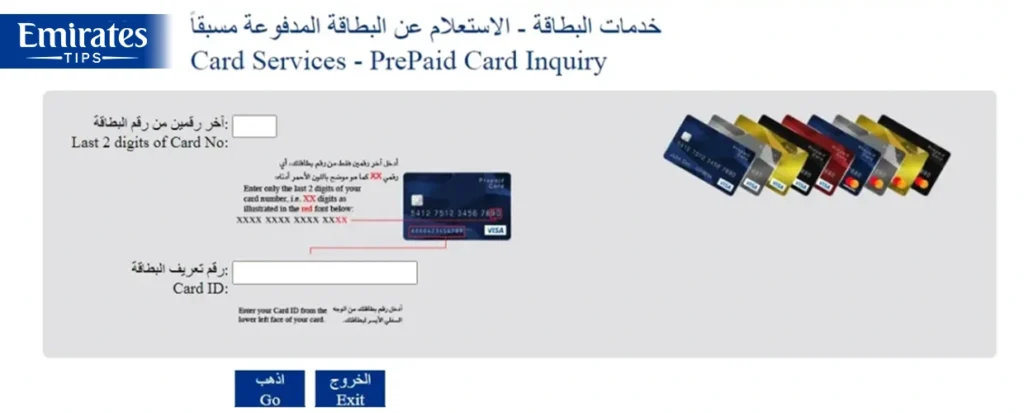
Once activated, you can use your Ratibi card for salary withdrawal, online transactions (limited), and FAB balance check via SMS or ATM.
Ratibi Card Activation Process (Step-by-Step)
Activating your Ratibi card is simple. Follow these steps carefully:
Step 1: Visit an FAB ATM
Go to the nearest ATM of First Abu Dhabi Bank. You can also use selected partner ATMs, but FAB ATMs are recommended for smooth activation.
Step 2: Insert Your Ratibi Card
Insert your card into the ATM machine just like a normal debit card.
Step 3: Select Language
Choose your preferred language (English or Arabic).
Step 4: Enter Temporary PIN
You may receive a temporary PIN from your employer or via SMS. Enter this PIN when prompted.
Step 5: Set a New PIN
You will now be asked to create a new 4-digit PIN. Choose something secure and easy to remember.
Step 6: Confirm Your PIN
Re-enter your new PIN to confirm.
Step 7: Activation Complete
Once confirmed, your Ratibi card activation process is complete, and your card is ready to use.
How Long Does Ratibi Card Activation Take?
The activation process usually takes:
- 2–5 minutes at the ATM
- Instant activation after PIN setup
Once activated, you can immediately:
- Withdraw your salary
- Perform an FAB check balance
- Use your card at POS machines
How to Check If Your Ratibi Card Is Activated
After completing the Ratibi card activation process, you can verify it using these methods:
1. ATM Balance Check
Insert your card and check your balance. If it shows your salary, activation is successful.
2. SMS Balance Check
Send a balance inquiry SMS (as per FAB format) and receive your balance instantly.
3. Try a Small Withdrawal
Withdraw a small amount to confirm your card is working properly.
Common Problems During Ratibi Card Activation (And Fixes)
Even though the process is simple, some users face issues. Here’s how to fix them:
Invalid PIN Error
- Make sure you are entering the correct temporary PIN
- Contact your employer if you didn’t receive it
Card Not Recognized
- Ensure the card is inserted correctly
- Try another FAB ATM
ATM Transaction Failed
- Wait a few minutes and try again
- Use a different ATM location
Salary Not Showing
- Your employer may not have credited salary yet
- Wait for WPS processing
Important Tips After Activation
To use your Ratibi card safely and efficiently:
- Never share your PIN with anyone
- Change your PIN regularly
- Always check your balance before withdrawing
- Use FAB ATMs to avoid extra charges
- Keep your card safe to prevent misuse
Ratibi Card Charges & Limits
While Ratibi cards are convenient, keep these in mind:
- Free salary credit
- Limited free withdrawals (depends on employer package)
- Charges may apply for non-FAB ATM usage
- Daily withdrawal limits may apply
What to Do If You Can’t Activate Your Ratibi Card
If your Ratibi card activation process fails:
- Visit your nearest FAB branch
- Contact FAB customer support
- Ask your employer to verify card details
- Request a replacement card if needed
FAQs
Final Thoughts
The Ratibi card activation process is simple, fast, and essential to start accessing your salary. Once activated, your card becomes a powerful tool for managing your finances without needing a traditional bank account.
By following the steps above, you can activate your card within minutes and begin using it for withdrawals, purchases, and FAB balance services anywhere.
